WealthRabbit Support
Need Help? We've got you covered
How to Transfer Your Guideline 401(k) to a WealthRabbit IRA
Transferring funds from your Guideline 401(k) to a WealthRabbit IRA is a straightforward process that helps you manage all your retirement funds in one place. Before you begin, follow these essential steps:
-
Set Up Your WealthRabbit IRA: Ensure you have a Traditional or Roth IRA account with WealthRabbit. If not, create one. (Setup may take 24-48 hours).
-
Update Personal Information: Verify that your personal information in the Guideline system is up to date to ensure a smooth verification process.
Once these steps are done, follow the instructions below to initiate the transfer:
Step-by-Step Instructions to Transfer Funds
Step 1: Log in to your Guideline account using your credentials.
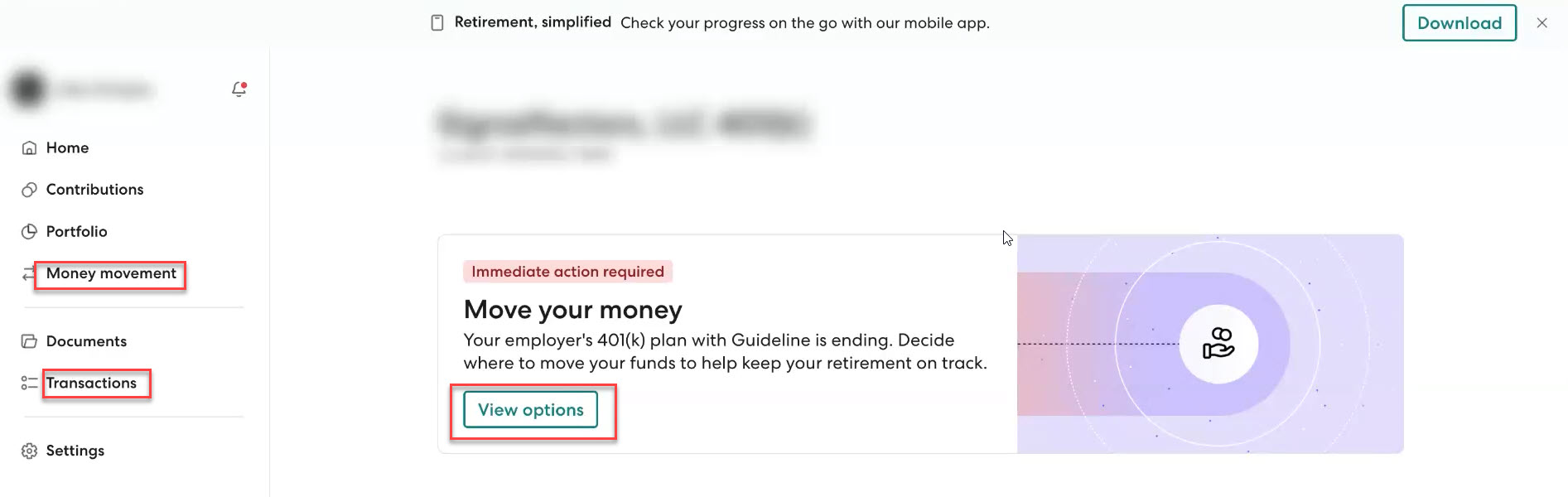
Step 2: Find the ‘Move Your Money’ option and click on “View Options.” If you don’t see it, go to the ‘Money Movement’ or ‘Transactions’ section in the left menu.
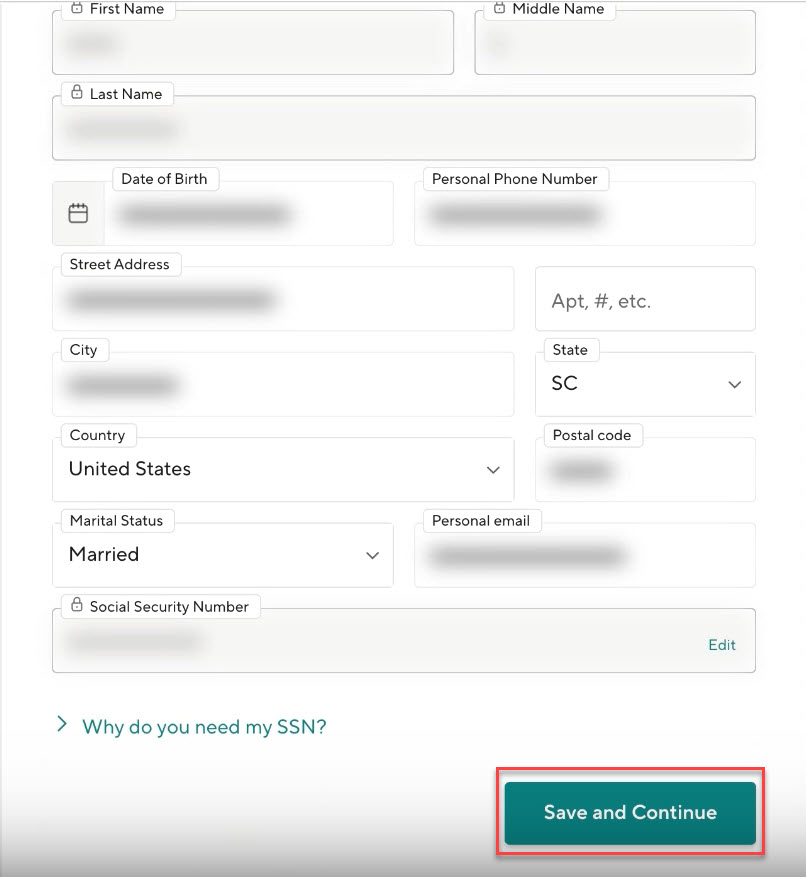
Step 3: Check that all your personal information is correct. Once verified, click ‘Save and Continue.’
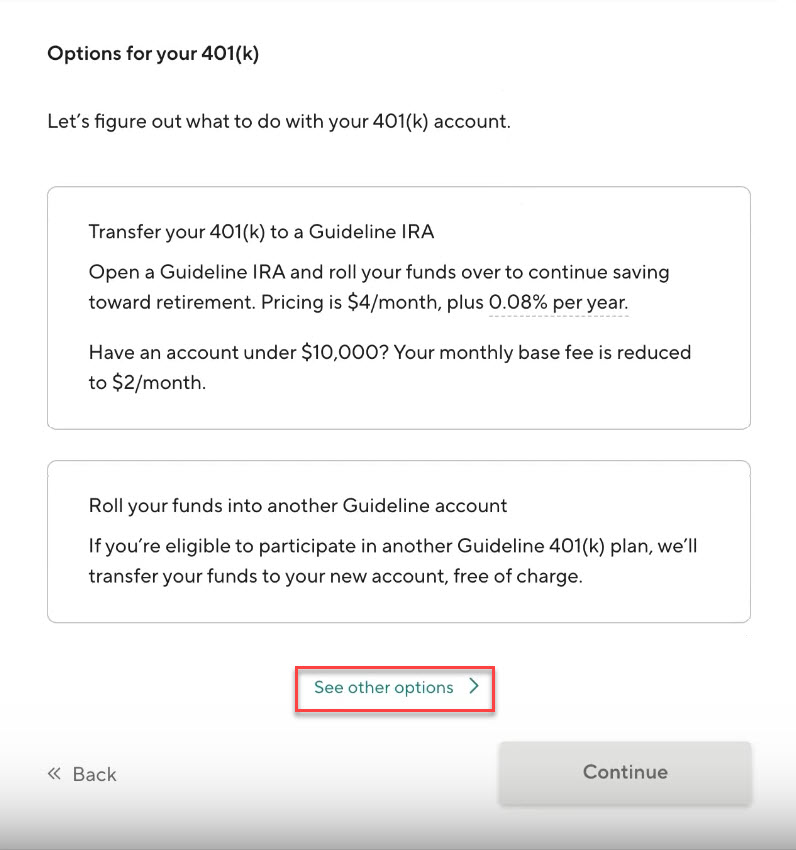
Step 4: Next, you will be prompted to choose how to use your 401(k) funds. Select ‘See other options.’
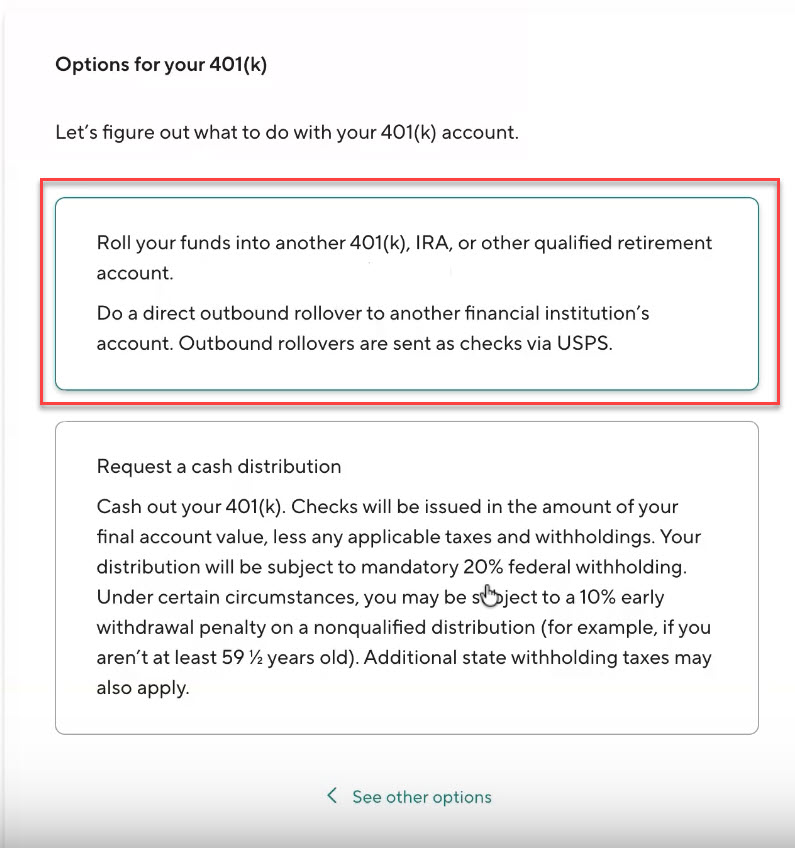
Step 5: Choose the option that says ‘Roll your funds into another 401(k), IRA, or other qualified retirement account’ and click ‘Continue’.
Step 6: Select ‘Mail directly to the receiving financial institution’ and click ‘Continue.’
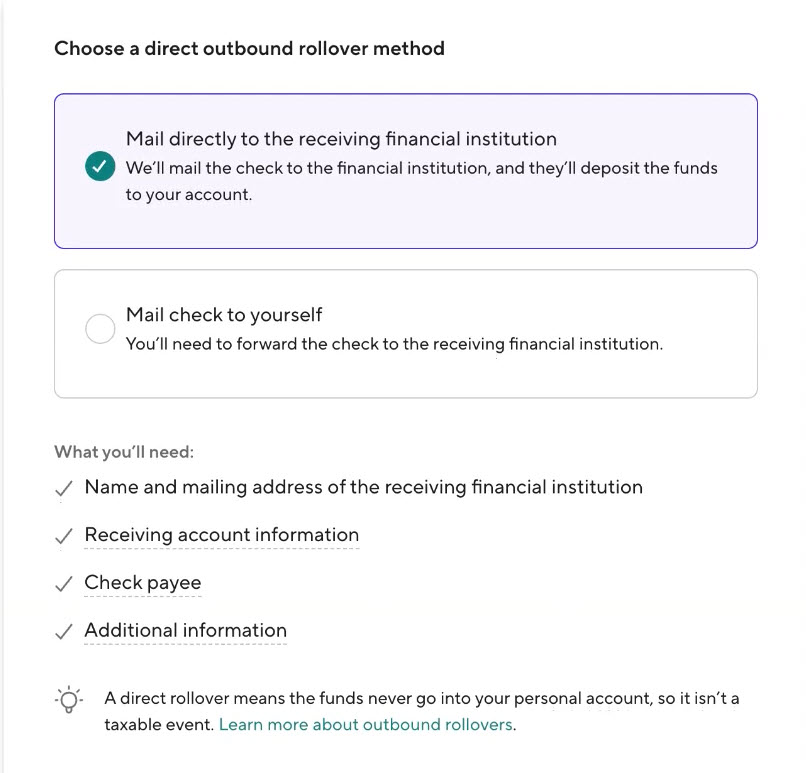
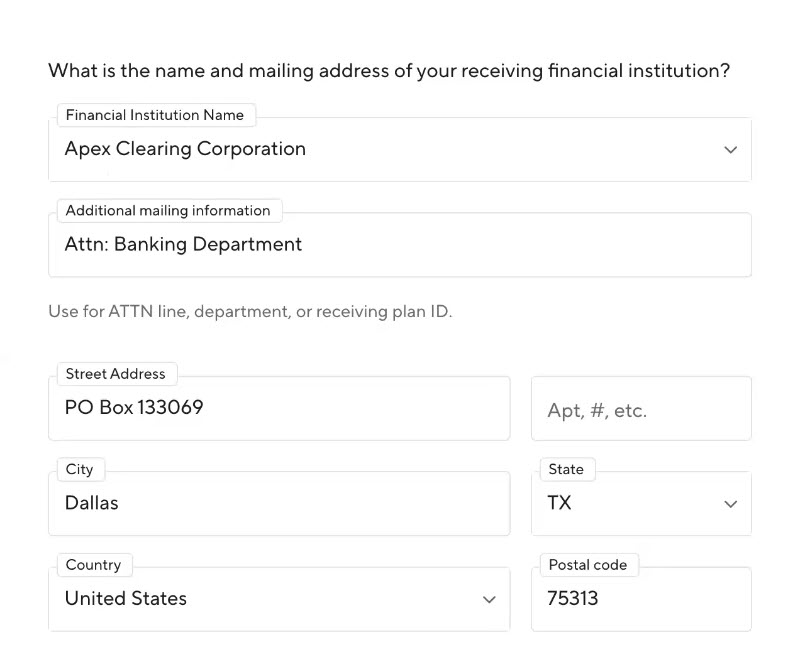
Step 7: Enter the details of the account you’re transferring the funds to (i.e., WealthRabbit). Use the following information:
-
Account Type: Select either “Traditional IRA” or “Roth IRA.”
-
Additional Mailing Info: Enter “Attn: Banking Department”
-
Address:
PO Box 133069
Dallas, TX 75313
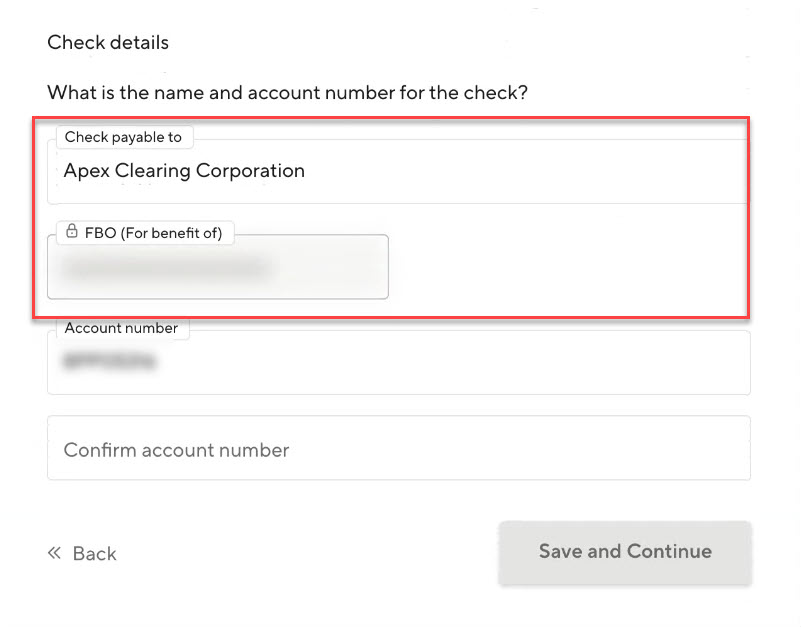
Step 8: Ensure the check is payable to ‘Apex Clearing Corporation’ with your name indicated as FBO (For Benefit Of).
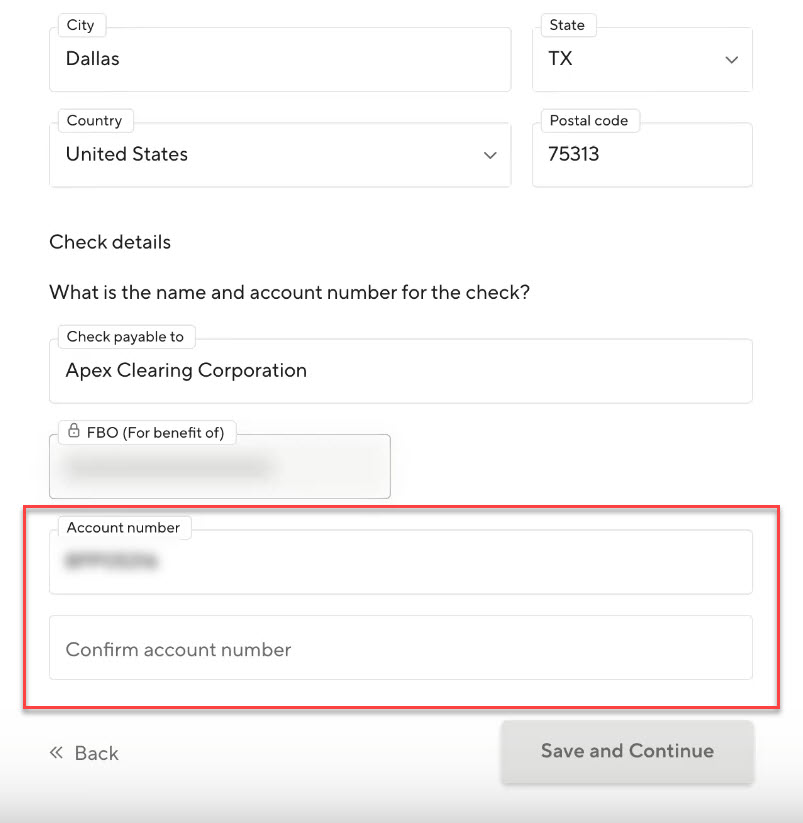
Step 9: Enter the WealthRabbit account number you’re transferring funds to and click ‘Save and Continue’. You can find this by logging into your WealthRabbit account and navigating to ‘My Account’. Double-check the accuracy of your account number before continuing.
Step 10: Review the transfer details, including the address and account number. Sign the request and click ‘Submit.’
What Happens Next?
The transfer will typically take 2 to 3 weeks to complete. You will receive a notification once the funds have been successfully transferred into your WealthRabbit IRA.
For further guidance, you can also view a step-by-step video here.
Need more help?
Get in touch with our dedicated support team Contact Us